Unlock Your Smartphone's Photographic Potential: Beyond Point-and-Shoot
Introduction
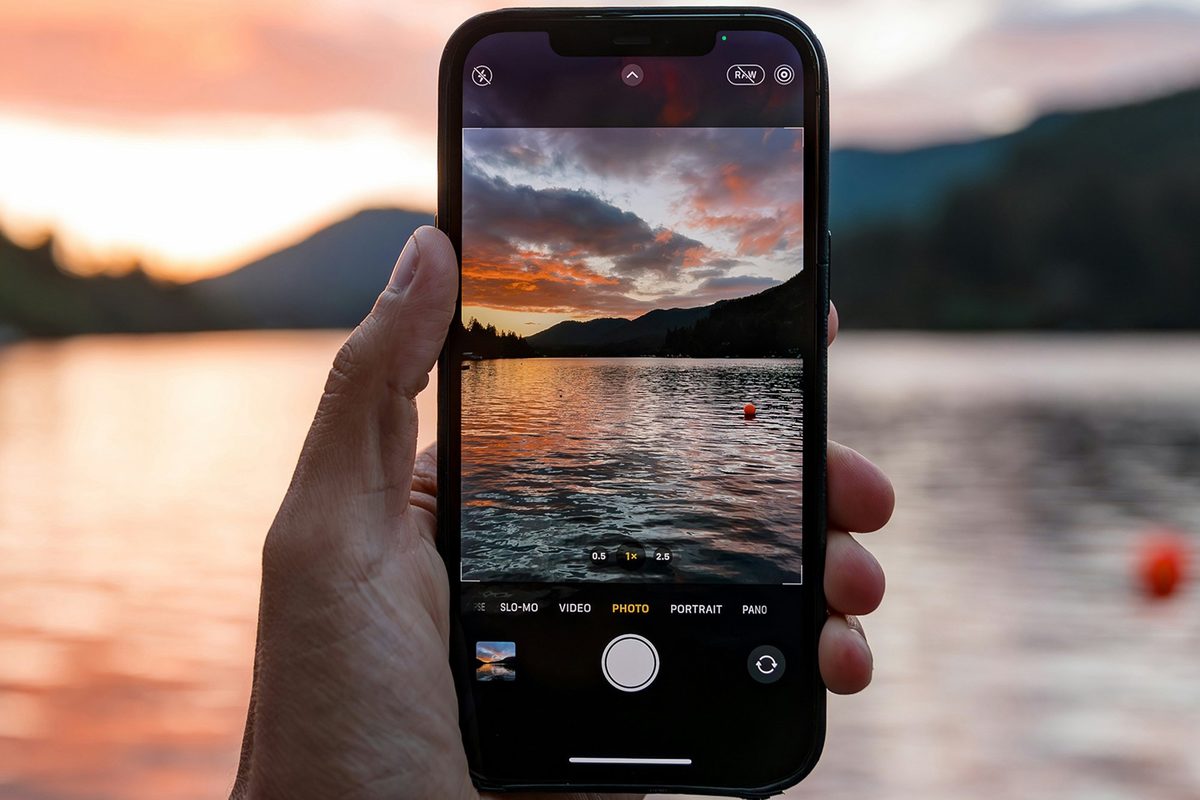
In an era where flagship smartphones are equipped with sophisticated camera hardware and cutting-edge image-processing software, a curious paradox persists: most users continue to rely on the simplest form of photography – point-and-shoot. While the convenience and speed of this approach are undeniable, and modern phones are remarkably adept at producing good results even in challenging conditions, there remains a vast untapped potential within these devices. By understanding and utilizing a few key features readily available in default camera applications, users can dramatically enhance their photographic output, capturing images that are not only technically superior but also more aesthetically compelling.
Key Details
- Google Pixel: Features like Night Sight for low-light and astrophotography, Portrait mode with adjustable depth blur, and manual controls for Exposure, White Balance, Shadows, Focus, ISO, and Shutter Speed. Advanced options include AI-powered Top Shot for selecting the best frame from a burst, Motion Photo for dynamic memories, Grid and Framing Hints for composition, and Ultra HDR for enhanced color and detail.
- Samsung Galaxy: Offers Portrait mode with background blur control, specialized modes like Food for enhanced color, and a comprehensive Pro mode. Pro mode allows manual adjustments for White Balance, Tint, Shutter Speed, ISO, and Exposure, along with Auto Focus (AF) and manual focus options. It also includes an Exposure Monitor and Exposure Meter for precise lighting control. Shot Suggestions and Composition Guide assist in framing.
- Apple iPhone: Provides Portrait mode with adjustable lighting and blur effects. Advanced controls accessible via a six-dot icon include Exposure and Depth adjustments. Unique features like Styles (affecting image processing) and Filters (applying overlays) offer creative options. Focus can be tapped to set and locked. Settings allow enabling Grid, Level, and Lens Correction, plus configuring Style modes.
Background
Year after year, smartphone manufacturers push the boundaries of mobile photography. Megapixel counts rise, sensor sizes increase, and computational photography algorithms become more intelligent. Yet, the user interface of most camera apps remains largely focused on simplicity. This design choice, while catering to the average user’s desire for quick and easy photo capture, often obscures powerful tools that could significantly improve image quality. Features like manual focus, exposure control, advanced white balance settings, and compositional aids are frequently buried within menus or require specific modes to be activated. This guide aims to demystify these advanced settings, making them accessible to the everyday user across the most popular smartphone platforms: Google Pixel, Samsung Galaxy, and Apple iPhone, running on their latest software versions (Android 17, One UI 8.5, and iOS 27 respectively).
Impact Analysis
The impact of utilizing these advanced features extends beyond mere technical improvement. For instance, mastering Night Sight on a Pixel or the Pro mode on a Galaxy can turn a dimly lit evening scene from a noisy, indistinct blur into a clear, atmospheric photograph. Similarly, the Portrait mode’s depth-of-field control, available on all three platforms, allows users to mimic the bokeh effect typically associated with professional DSLR cameras, making subjects stand out against pleasingly blurred backgrounds. The ability to manually adjust focus and exposure provides creative control, enabling photographers to capture dynamic action shots with frozen motion or artistic light trails. Furthermore, compositional tools like grids and framing hints help users adhere to principles of good design, leading to more balanced and visually appealing images. The subtle yet significant enhancements offered by features like Ultra HDR on Pixel or Styles on iPhone can add a professional polish, making photos richer and more engaging.
Broader Context
Mobile photography has evolved from a novelty to a primary mode of visual documentation and artistic expression for billions worldwide. Smartphones have democratized photography, putting powerful tools into the hands of the masses. However, this democratization has also led to a saturation of similar-looking images. By learning to leverage the nuanced controls available, users can differentiate their work. This goes beyond simply taking a ‘better’ photo; it’s about developing a more intentional approach to image-making. Understanding concepts like exposure, focus, and composition, even at a basic level, empowers users to move from passive capture to active creation. This shift can foster a deeper appreciation for photography and unlock creative potential that might otherwise remain dormant.
Future Outlook
As smartphone technology continues its relentless advance, we can expect camera applications to become even more intelligent and intuitive. AI will likely play an even greater role in automating complex adjustments, potentially making advanced controls accessible through even simpler interfaces. However, the fundamental principles of photography – light, composition, and subject matter – will remain paramount. The ability to understand and manually manipulate these elements, as outlined in this guide, will continue to be a differentiator. Future smartphones may offer even more sophisticated computational photography features, but a user who understands the underlying mechanics will always be better equipped to harness the full creative power of their device, regardless of software updates or hardware iterations. The trend towards more professional-level controls in consumer devices suggests a future where the line between smartphone photography and traditional camera photography continues to blur.
Conclusion
While the convenience of smartphone cameras is undeniable, limiting oneself to basic point-and-shoot functionality means missing out on a wealth of features designed to elevate photographic results. By investing a few extra moments to explore and utilize the advanced tools available in the default camera apps of Google Pixel, Samsung Galaxy, and Apple iPhone devices, users can significantly enhance their photos. From mastering low-light conditions and controlling depth of field to refining composition and exposure, these capabilities empower anyone to capture more striking, professional-looking images. Embracing these features transforms the smartphone from a simple snapshot device into a versatile creative instrument, enabling users to tell more compelling visual stories.
Source: popsci.com