Understanding Find My iPhone: When to Disable and Why It's Crucial to Keep It On
Introduction
Apple's Find My service has become an indispensable tool for Apple users, offering a robust solution for locating misplaced, lost, or stolen iPhones, iPads, and other Apple devices. Leveraging a sophisticated, crowdsourced network of other Apple devices, Find My can pinpoint the approximate location of your item using Bluetooth, even if the device is offline or powered down. While this feature is a powerful security asset, there are specific, albeit limited, circumstances under which it should be temporarily disabled. Understanding these scenarios and the implications of disabling Find My is crucial for maintaining both device security and user privacy.
Key Details
- Purpose of Find My: Helps locate lost, stolen, or misplaced Apple devices using a crowdsourced network of other Apple devices via Bluetooth.
- When to Disable: Primarily recommended before selling, donating, trading in a device, or sending it for repair.
- How to Disable (Factory Reset): Easiest method for selling/donating. Navigate to Settings > General > Transfer or Reset iPhone > Erase all Content and Settings. Requires Apple ID password and automatically disables Find My.
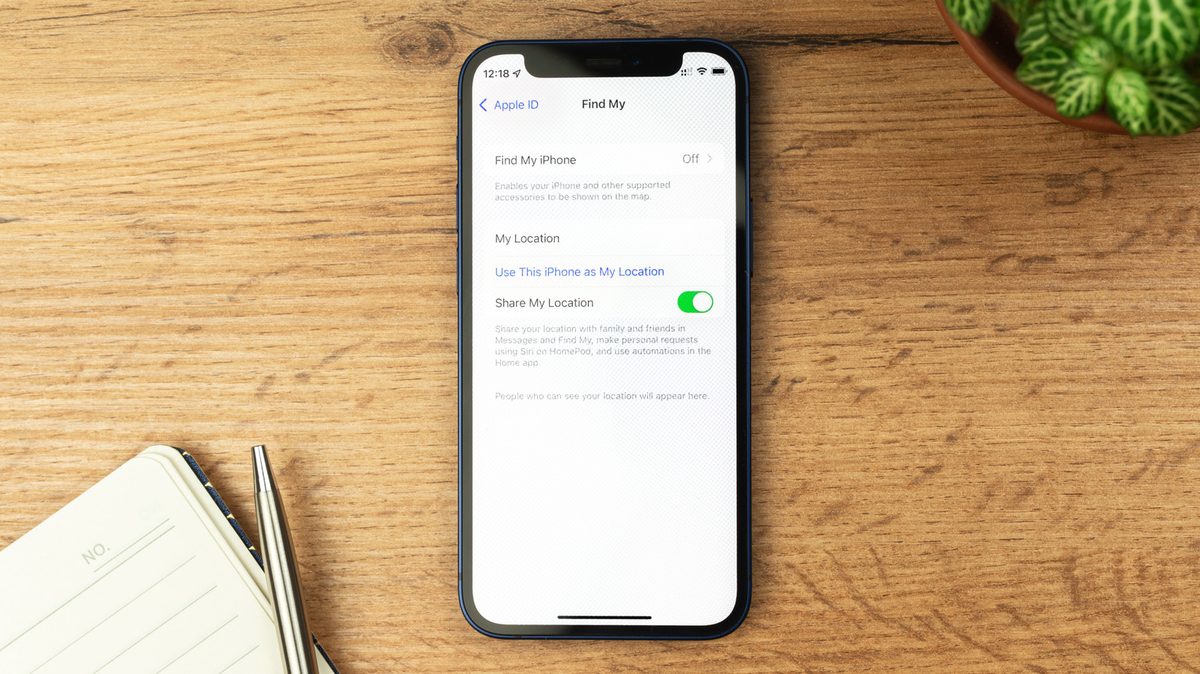
- How to Disable (Manual): For repairs, go to Settings > [Your Name] > Find My iPhone and toggle it off. This requires disabling Stolen Device Protection first if enabled.
- Stolen Device Protection: A security layer (default in iOS 26.4+) that adds delays to critical setting changes when away from familiar locations, requiring biometric authentication. Must be disabled before manually turning off Find My.
- Consequences of Disabling: Loss of device tracking capabilities, inability to use Lost Mode, and deactivation of Activation Lock.
- Activation Lock: Links your Apple ID to the device, preventing its use or resale even after a factory reset. It is automatically disabled when Find My is turned off via a full reset.
- Location Sharing: Disabling Find My also stops location sharing with friends and family.
- Scams: Users may receive threats to disable Find My after losing a device. It is strongly advised *not* to comply, as Activation Lock renders the device useless to thieves.
Background
The Find My network represents a significant advancement in device security and recovery. Unlike traditional tracking methods that rely on GPS or Wi-Fi, Find My utilizes the vast number of active Apple devices globally. When your device is lost, other nearby Apple devices anonymously and securely detect its Bluetooth signal and relay its approximate location back to you through encrypted channels. This ingenious system works even when the lost device is not connected to the internet or has its battery depleted, making it an exceptionally reliable tool. However, the very security features that make Find My so effective also necessitate careful consideration when disabling it.
Impact Analysis
Disabling Find My has direct and significant consequences for device security. The most immediate impact is the complete inability to track the device should it be lost or stolen after the feature is turned off. This means the sophisticated network that could have led you to your device is no longer available. Furthermore, the Lost Mode functionality, which allows you to remotely lock your device and display a custom message with contact information, becomes inaccessible. Perhaps the most critical consequence is the disabling of Activation Lock. This feature is a powerful deterrent against theft, as it permanently links the device to your Apple ID. Even if a thief performs a factory reset, they cannot activate and use the device without your Apple ID password. Turning off Find My, especially through a full device reset, removes this crucial layer of protection, rendering a stolen device potentially resalable.
Broader Context
The decision to disable Find My must be viewed within the larger ecosystem of digital security and personal data protection. In an era where personal information is increasingly digitized and valuable, safeguarding devices is paramount. Find My is not merely a tracking tool; it's an integral part of Apple's security strategy. The introduction of features like Stolen Device Protection further underscores Apple's commitment to user security, adding layers of defense against unauthorized access, particularly in scenarios where a device might be compromised physically. This protection is designed to prevent malicious actors from exploiting a stolen device, even if they manage to obtain the device's passcode. The ability to share locations with trusted contacts also adds a layer of social security, though it raises privacy considerations that can be managed by adjusting sharing permissions rather than disabling the entire service.
Future Outlook
As technology evolves, it is likely that Apple will continue to enhance the Find My service, potentially incorporating more advanced tracking capabilities or integrating it more deeply with other security features. The ongoing tension between user convenience and robust security will likely shape future iterations. We may see more nuanced options for disabling certain aspects of Find My without compromising core security, or perhaps even more sophisticated anti-theft measures. The increasing sophistication of theft and data breaches means that services like Find My will remain critical, and users will need to stay informed about best practices for device security. The emphasis will likely remain on keeping such protective features enabled by default, with clear guidance on the limited circumstances and secure methods for temporary deactivation.
Conclusion
In summary, Apple's Find My service is an essential security feature that should remain enabled under almost all circumstances. Its ability to locate lost or stolen devices, coupled with the powerful Activation Lock, provides significant protection against theft and data loss. While there are specific, legitimate reasons to temporarily disable Find My—primarily for device resale, transfer, or repair—these actions must be performed with a full understanding of the security implications. Users should prioritize disabling it through official reset procedures when selling or giving away devices, and manually disable it only when necessary for servicing, remembering to re-enable it promptly. Never disable Find My under duress from potential thieves, as Activation Lock is your strongest defense. By understanding when and how to manage Find My, users can effectively balance convenience with the critical need for device security.
Source: engadget.com